
· 8 min read
Practical advice for multilingual meetings with live captions, translation, clearer speech, consent, and inclusive international teamwork.
Global teamwork needs more than a meeting link
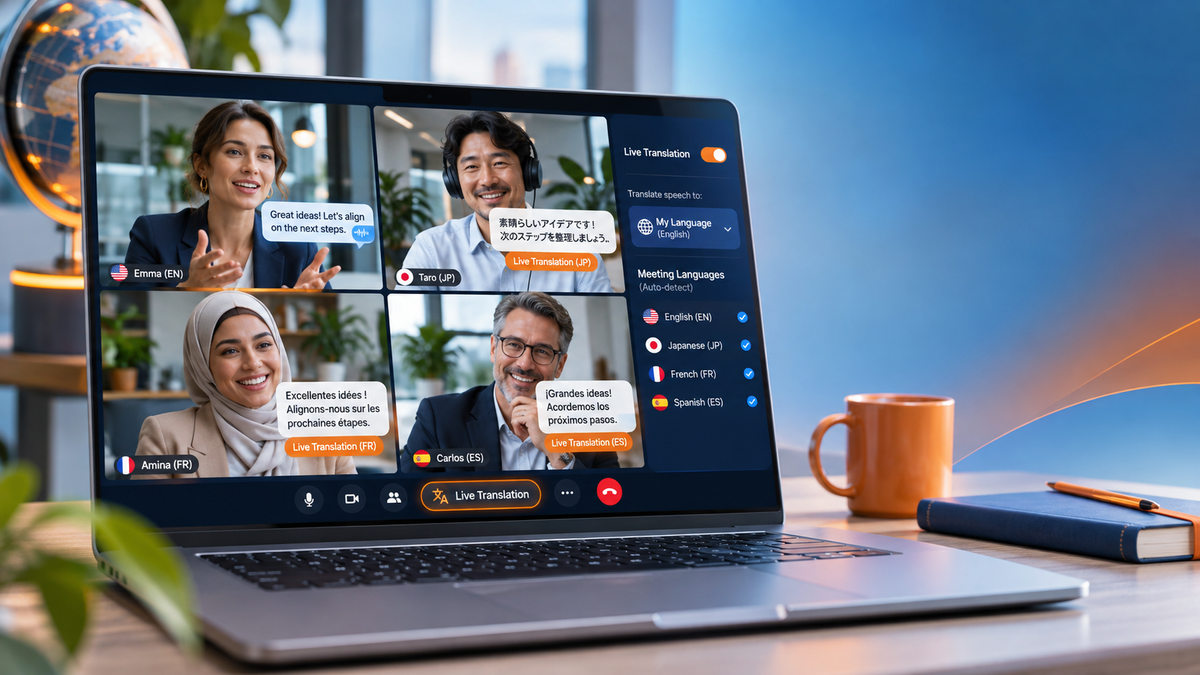
A team can share a video call yet still struggle to understand one another. Different first languages, regional expressions, technical vocabulary, and fast-paced speech can make participation uneven. Live translation aims to help people follow conversations across languages while remaining in the same meeting.
Meetup1 describes supported caption and translation workflows as part of its collaboration experience. Because language availability and quality can depend on configuration and rollout, organizers should test the actual tools before relying on them for an important session.
Understand captions, transcription, and translation
Captions display spoken language as text, while transcription creates a textual record of speech. Translation expresses a message in a different language. A product may support these workflows separately, and not every supported caption language is necessarily available as a translation target.
Translated text and interpreted audio can also be different experiences. Text may be quicker to review, while a supported voice output can be useful when participants need to listen instead of read. Neither mode should be assumed to reproduce every nuance perfectly.
- Live captions: on-screen text representing spoken words
- Transcript: a text record of speech, if available
- Live translation: speech represented in another language
- Interpreted audio: spoken output in another language, when supported
1. Plan for the languages your audience uses
Before sending invites, ask which spoken and reading languages participants prefer. Consider whether participants need subtitles, interpretation, translated materials, or a mix. A session with several different language groups may need a more deliberate speaking order.
Confirm the current language list and any required entitlements for the chosen Meetup1 workflow. Test both source and target language combinations with representative speakers. Do not assume all languages and accents have equivalent recognition accuracy.
- Identify source and preferred target languages ahead of time
- Share the agenda and terminology with presenters
- Test availability on the actual browsers and devices
- Provide another support option when automated output is insufficient
2. Improve the source audio first
Automated translation depends on understanding the original speech. A clear microphone and quiet environment are as important as the translation software. When several people speak at once, speech recognition may merge phrases or lose context.
Encourage moderate speaking pace, short sentences, and explicit speaker changes. Important numbers, dates, names, and instructions should also be shared in writing. Pause to confirm that people understood the decision before moving on.
- Use a headset or close microphone
- Avoid overlapping speakers and unnecessary background music
- Explain uncommon abbreviations and specialist terms
- Repeat important decisions and dates in the meeting chat
3. Treat translation as assistance, not authority
Machine translation can misunderstand idioms, local expressions, names, and subtle intent. Even when the text looks fluent, the meaning might be incomplete. In high-stakes discussions, ask a qualified interpreter or bilingual participant to confirm critical information.
Do not turn an unreviewed translation directly into a legally binding record, medical instruction, or contract term. Collect questions, invite clarification, and verify the final decision with everyone affected.
4. Respect consent and privacy
Voice and language assistance can involve processing speech or derived text. Tell participants which tools are active and how output will be used. Follow applicable consent, data protection, and retention requirements, especially for sessions involving personal or commercially sensitive information.
Limit transcript and recap access to the people who need it. If language services are unavailable for a participant, offer an accessible alternative rather than expecting the person to proceed without support.
Using Meetup1 for more inclusive conversations
Meetup1's public product pages describe live captions and translation tools for supported meeting workflows. The right setup depends on the spoken languages, browser, device, plan, and current product availability. Validate the exact configuration before inviting international guests to a critical event.
Used thoughtfully, translation can make training, customer consultations, regional partnerships, and remote teamwork easier to navigate. The goal is not to eliminate every difference between languages, but to help participants communicate with greater confidence.
- Run a short multilingual test before the main meeting
- Give people time to read or listen to translated output
- Confirm key takeaways with a written recap
- Ask for participant feedback and adapt future meetings
Frequently asked questions
Are live captions the same as live translation?
No. Captions represent speech as text, usually in the same language; translation expresses the meaning in another language.
Is automated translation always accurate?
No. Names, accents, overlapping speech, and specialized terminology can affect the result. Verify high-stakes information.
Does Meetup1 support every language?
No universal language coverage should be assumed. Check current source/target language support and availability in your meeting configuration.